

VEO 3.1 Video Generator:
Beyond Your Ideas with Creati

Don't just imagine it, create it. Creati Studio leverages the advanced VEO 3.1 engine to bring your stories to life with professional grade visuals.

VEO 3.1: The Latest Model.
Infinite Possibilities.

Mix Photos into Movie Magic Instantly.

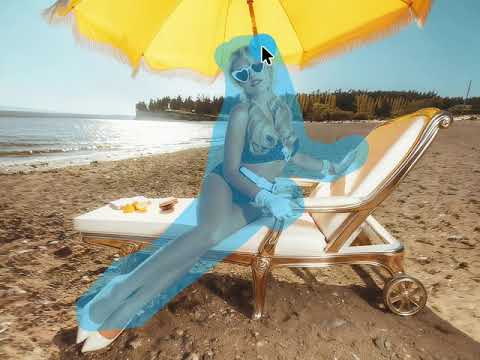
Ready to be a movie director without leaving your couch? As seen in the video, VEO 3.1 is like a magic wand. It lets you take different things—like a person, a cool outfit, and a background, and smash them together into one perfect video.
Forget the headache of using Google AI Studio VEO 3—that stuff is way too complicated (unless you love boring code). Instead, use Creati as your friendly Google VEO 3 video generator. Just upload your pictures, and let VEO 3 do the heavy lifting. It mixes everything intelligently so the light and movement look 100% real. No tech skills needed, just turn your still photos into action movies without the stress!

Ditch the Plane Tickets and Save Money

Ditch the expensive plane tickets and revolutionize your marketing! With VEO 3.1, making a commercial is now as easy as making a sandwich. You just need three simple things: an actor on a green screen, a photo of “Spicy Chips,” and a background picture. Instead of flying all the way to Egypt, just use Creati, your friendly Google VEO 3 video generator. It creates all the action for you instantly—like the actor crunching on the chip or the camel looking surprised—without you ever leaving your comfortable chair.
 
You can also forget about the headache of learning Google AI Studio VEO 3. That stuff is for computer wizards, but our platform handles all the boring tech work for you. VEO 3.1 helps you create ads that look like Hollywood movies with perfect lighting and depth. You get high-quality results for a tiny fraction of the cost, making your wallet (and your boss) very happy!

Mash Up Faces and Fashion with the VEO 3 model

Ready to be a movie director without leaving your couch? As seen in the video, VEO 3.1 is like a magic wand. It lets you take different things—like a person, a cool outfit, and a background, and smash them together into one perfect video.
Forget the headache of using Google AI Studio VEO 3—that stuff is way too complicated (unless you love boring code). Instead, use Creati as your friendly Google VEO 3 video generator. Just upload your pictures, and let VEO 3 do the heavy lifting. It mixes everything intelligently so the light and movement look 100% real. No tech skills needed, just turn your still photos into action movies without the stress!

Why Choose OUr Creati

Instant Access

Start creating with VEO 3.1 immediately—no waitlists, no queues, no delays.

User-Friendly

No coding or technical skills required. If you can type, you can create.

Character Consistency

Keep faces and styles perfectly consistent across every scene for a pro look.

Infinite Creativity

Break free from technical constraints and turn your wildest imaginations into incredible visual realities with VEO 3.1.

Social Media Ready

Generate perfect 9:16 vertical videos tailored for TikTok, Reels, and Shorts.

AI-Powered Realism

Leverage the advanced VEO 3 engine for fluid movement and 100% realistic depth.
How to Use VEO 3 on Creati

Step 1
Select What Model You Wish to Use

step 3 of using creati veo 3 model

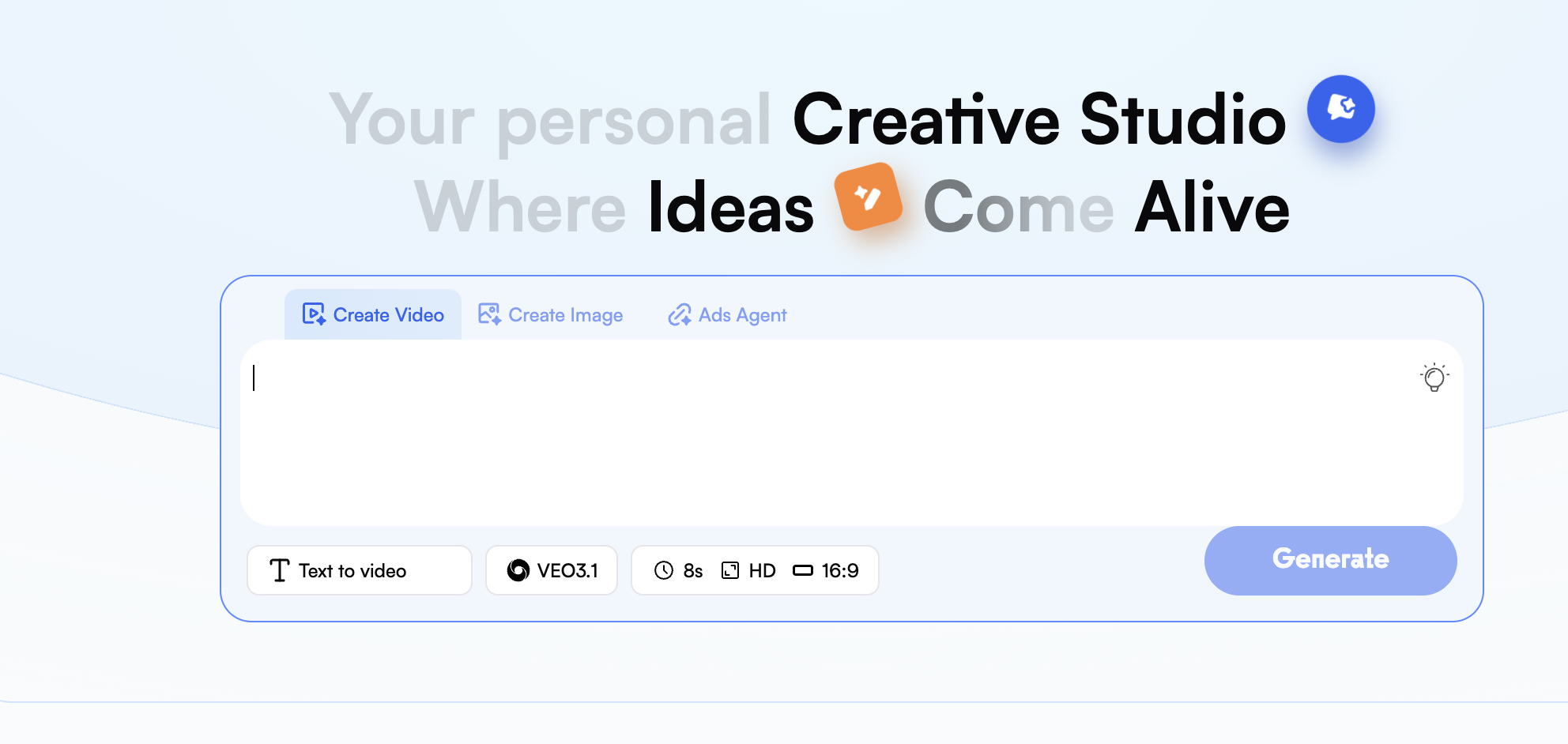
Once you are logged into the dashboard, select "Create Video" to get started. You should now see a list of models available for use; select either the VEO 3 model or the newest release, VEO 3.1, which will provide you with the most advanced capabilities for creating cinematic videos.
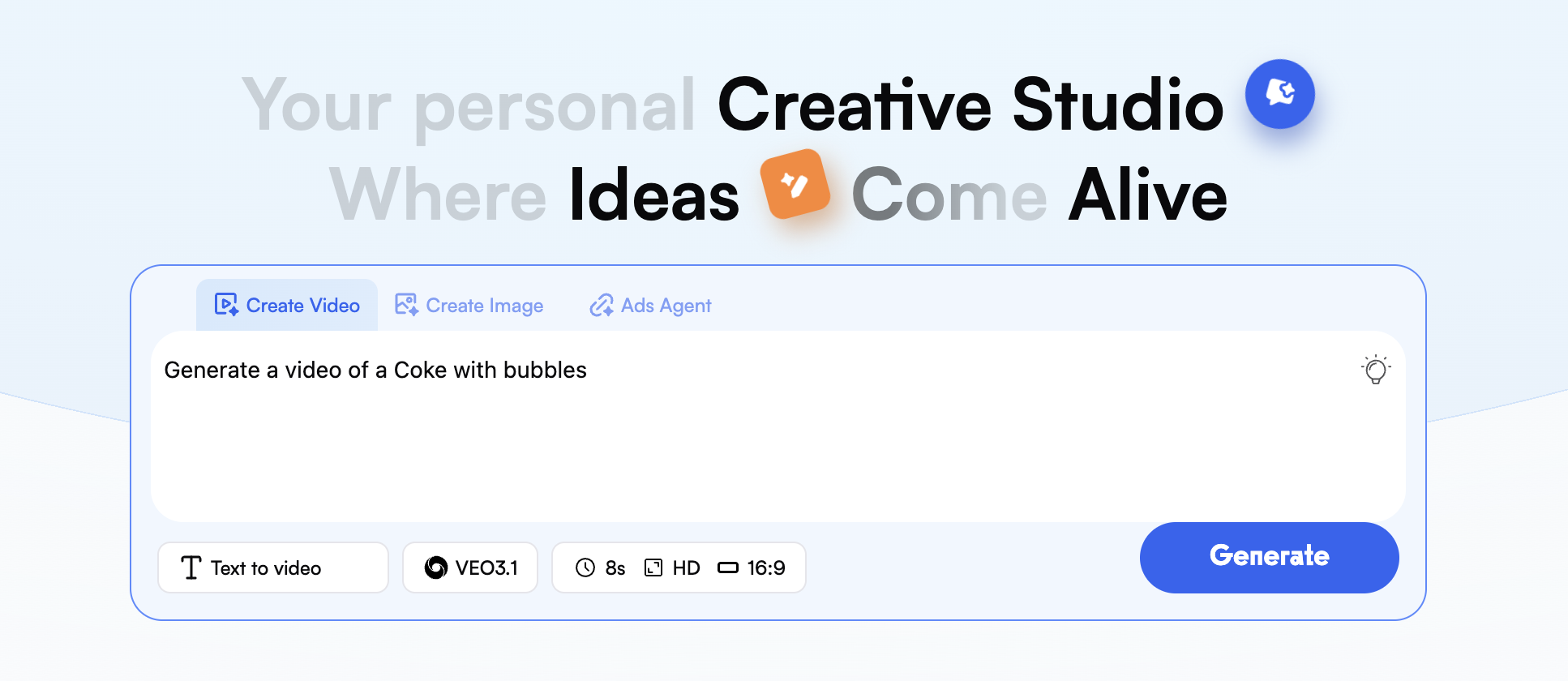
Step 2
Write and/or Upload Your Assets

step 2 of using creati veo 3 model

In the prompt field, describe your envisioned scene in great detail. If you want the AI to create the assets for you, upload images of the character's face, clothing item, and specific background you would like to use with your finished video.
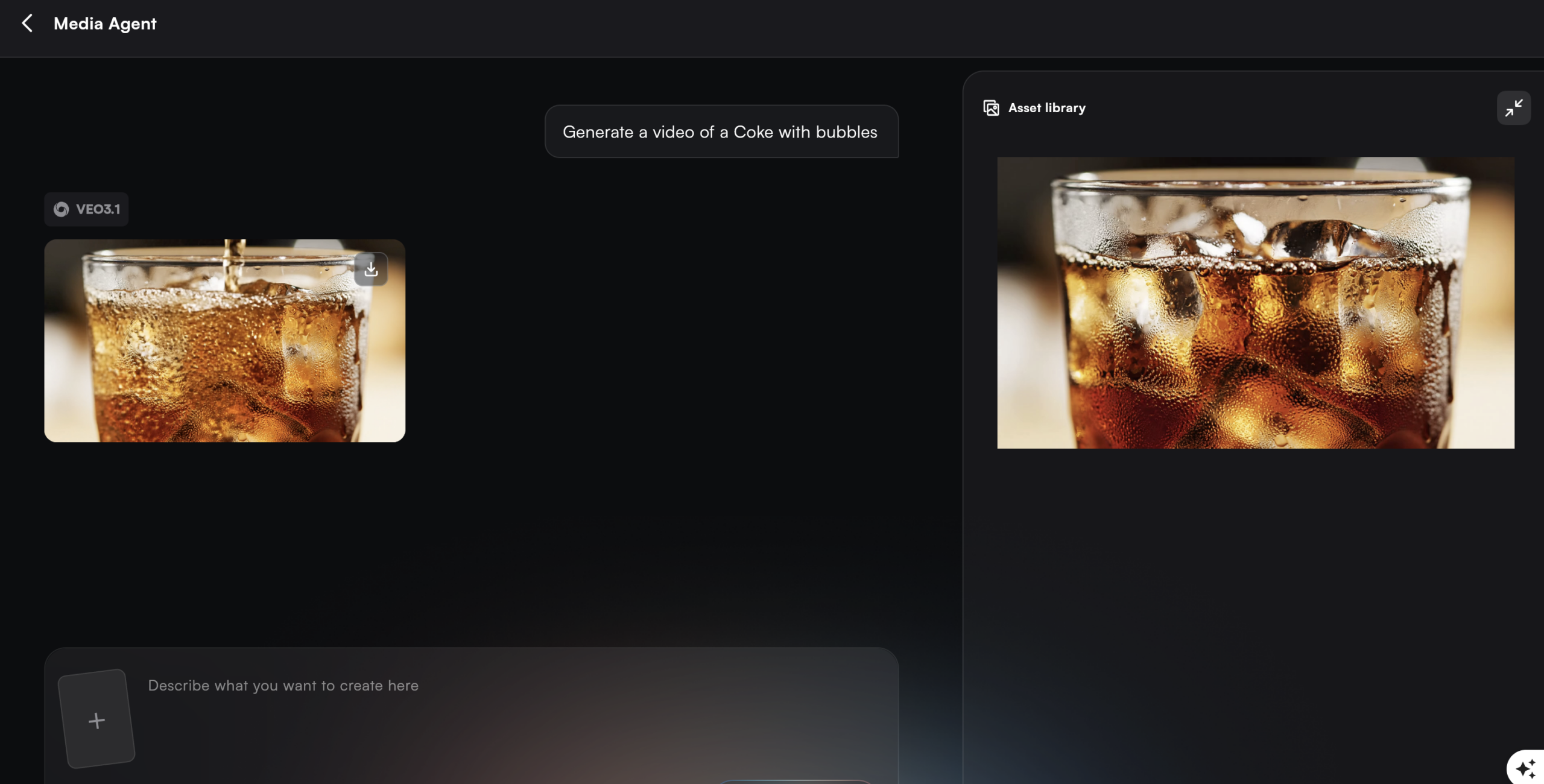
Step 3
Produce Your Video

step 1 of using creati veo 3 model

Once you have completed the steps above, press the "Generate" button to produce your video. Your finished video will then be produced in approximately 50-80 FPS, using the VEO 3 engine's ability to accurately replicate and apply realistic lighting and physics, and provide you with an HD video of 1080P quality.

Who can benefit from
Creati Veo 3 Model

Social Media Influencers

Create viral 9:16 clips for TikTok and Reels using the powerful VEO 3.1 engine.

Fashion Brands

Enable realistic virtual try-ons and consistent style showcasing with the VEO 3 model.

App Developers

Generate polished trailers and previews using the advanced VEO 3.1 engine.

Educators & Coaches

Turn complex concepts into HD visual stories with the Google VEO 3 generator.

Content Marketers

Produce creative video assets that keep your brand voice consistent and engaging.

E-commerce Owners

Use our Google VEO 3 video generator to produce high-converting product demos.

What Our User Are Saying

As a travel influencer, my audience expects cinematic quality, but I can't always travel with a full crew. The VEO 3.1 engine on Creati has been a total game-changer. I just upload a few photos of myself and describe a destination—the Google VEO 3 video generator does the rest. It handles complex lighting and 9:16 vertical movement so realistically that my followers can't tell it’s AI. It’s saved me thousands in production costs while keeping my content viral-ready.
—Sarah Jenkins, Lifestyle Creator & Digital Nomad
Running a sustainable fashion brand means I need frequent, high-end visuals on a startup budget. I used to struggle with Google AI Studio VEO 3 because the coding was way too complex for my team. Switching to Creati was the best decision we made. Their VEO 3 model maintains incredible character consistency—our virtual models look identical in every scene. We can now launch an entire season’s worth of high-definition product promos in a single afternoon.
— Marcus Chen, Founder of 'Aura Wear' E-commerce
In the agency world, speed is everything. Our clients want Hollywood-grade commercials yesterday. Creati’s VEO 3.1 technology allows us to prototype and produce cinematic ads at 50-80 FPS without the headache of traditional rendering. It’s the most user-friendly Google VEO 3 video generator on the market. We’ve bypassed the 'nerdy' technical hurdles and went straight to delivering stunning, professional visuals that win pitches.
— Elena Rodriguez, Creative Director at 'Spark & Scale' Marketing

Frequently Asked Questions
(FAQS)

VEO 3.1 is like the smarter, cooler big brother of the old versions. It actually understands what you are saying and doesn’t make weird glitchy mistakes. It keeps faces looking like faces, making it the smartest brain inside our Creati Google VEO 3 video generator.
VEO 3 loves it when you talk like a normal person. Just throw in fancy words like “photorealistic” or “4k” to make it look expensive. On Creati, forget about coding—just type your idea, and the VEO 3.1 model makes it happen.
Nope. No waiting in line here. Creati opens the door for you instantly. You can start making high-quality videos with VEO 3 and VEO 3.1 the very second you sign up.
Oh yeah. VEO 3.1 knows phones are tall, so it creates perfect vertical videos (9:16). This means you can make viral hits for TikTok easily using our Creati.
No way. Leave coding to nerds. We made it super simple, so you don’t have to deal with the scary Google AI Studio VEO 3. Creati lets you use the full power of VEO 3 just by typing text and uploading pics.
Creati is the best way to save your cash. Instead of paying a fortune for Google, we offer cheap plans that let you use the powerful VEO 3.1 model for a tiny fraction of the price.
Totally. VEO 3.1 is super stable and looks pro. Whether you’re selling stuff or making ads, the video from our Creati is crisp, clean, and ready for business.

Unlimited Creativity
All in Creati

Contact US
Features

© 2026 All Rights Reserved.

Scroll to Top